Reviews
Big Tower Tiny Square offers a pure platforming experience with no clutter. The controls are responsive, and the challenge grows steadily as you climb higher. Falling means starting over, which encourages careful planning and practice. The simple premise keeps you engaged, and each successful jump feels rewarding. It is a good choice for players who enjoy precision-based games without complicated rules.
About this game
Game Introduction
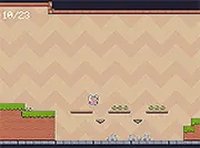
Big Tower Tiny Square is a family-friendly platformer that puts you in control of a small square on a big adventure. Your goal is to climb a gigantic tower by leaping from platform to platform. The game tests your timing and precision as you navigate increasingly tricky gaps and obstacles. With its vibrant colors and smooth controls, every jump feels satisfying. Whether you have a few minutes or an hour, this game offers a rewarding challenge that is easy to start but hard to master.
How to Play
Use the A and D keys or the left and right arrow keys to move your square. Press the Space bar or the up arrow key to jump. Your objective is to reach the top of the tower by landing on platforms. If you fall, press the Y key to restart from the beginning. The controls are simple, so you can focus on improving your timing and climbing higher.
Game Features
Simple controls that are easy to learn. Endless climbing fun with increasing difficulty. Vibrant graphics that are appealing to all ages. Smooth performance on both computer and mobile devices.
Tips for Success
Focus on landing precisely on each platform to avoid falling. Take your time to time your jumps carefully, especially as gaps become larger. Practice regularly to improve your muscle memory and reaction speed. If you get stuck, take a short break to refresh your focus.
🛠️ Compatibility
• OS: Windows 10+, macOS 11+, iOS 14+, Android 10+
• Browsers: Chrome 100+, Safari 15+, Edge 100+, Firefox 100+
• Not compatible with Internet Explorer
Tested on real devices – works as expected
 NumberTap Arcade