Reviews
Kids Supermarket Shopping Simulator offers a well-designed learning experience. The multiple aisles keep children exploring, and the checkout process reinforces counting and money management. Replay value is high as kids can try different shopping lists. The offline mode is a bonus for parents. A solid choice for family-friendly screen time.
About this game
Game Introduction
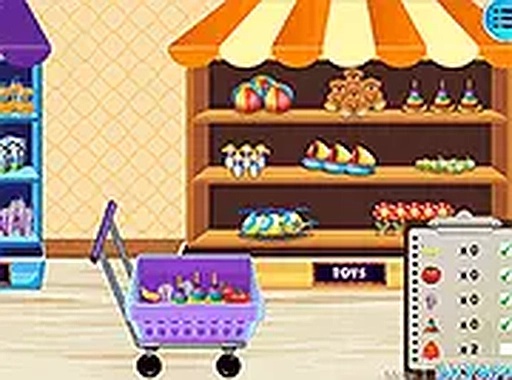
Kids Supermarket Shopping Simulator is an educational browser-based game that lets children experience a virtual trip to the grocery store. The core objective is to explore themed aisles, select items, and complete a purchase at the checkout counter. This game turns a routine errand into a fun learning activity, helping young players understand everyday shopping tasks in a safe, colorful environment. It is designed for children who enjoy pretend play and want to practice making choices and managing a simple budget.
How to Play
Players start by clicking on different aisles such as Clothing, Snacks, Toys, or Electronics to browse available products. Using the mouse or keyboard, they can add items to their shopping cart. After selecting everything needed, players proceed to the checkout counter where they scan each item using an on-screen scanner. The game calculates the total, and players pay with virtual money to complete the purchase. The interface is simple and guides children through each step, making it easy to follow. A full-screen mode is available for a larger view.
Game Features
This game includes a fun supermarket simulation with multiple themed aisles. It features interactive cash register play that teaches basic math skills like counting and addition. No internet connection is required after the initial load, making it convenient for use in car rides or waiting rooms. The content is family-friendly and suitable for all ages. Controls are simple enough for young children to master quickly, and the colorful graphics with sound effects enhance the overall experience. No downloads or installations are needed.
Tips for Success
To get the most out of the game, encourage children to explore all aisles to discover different products. Practice counting items as they are added to the cart to reinforce math skills. Help kids set a simple budget before shopping to learn about money management. Repeating the shopping process multiple times can build confidence in making choices and handling the checkout steps. Playing together with a parent or sibling can also make the experience more engaging and educational.
Compatibility
This H5 game runs smoothly on:
• Desktop computers (Windows / Mac)
• Mobile phones (iPhone / Android)
• Tablets (iPad / Android)
🌐 Best experienced with Chrome, Safari, or Edge
 NumberTap Arcade